All the tools you need for your project

Project Management

Project Visualization and Management

It groups activities by responsible person, date of compliance and status, allowing for clear and accurate monitoring.

Beta
Novedades en el Módulo
down
Tag
Cost labels
Crea etiquetas para categorizar tus costos, asignarlas a tus gastos y mejorar el control de gastos de todo el proyecto.
Tag
Historial de Cambios con Filtro
Nueva herramienta de filtros para tu historial para facilitar la búsqueda de cambios en tus actividades.
Manage the progress of your team's tasks, ensuring their compliance

It groups activities by responsible person, date of compliance and status, allowing for clear and accurate monitoring.

Take detailed control of your project with customized reports

Access 5 types of reports that speed up your processes by 78%: Basic Report, Work Progress, Problem, Delay and Workforce.

Beta
Novedades en el Módulo
down
Tag
Plantillas de Fuerza de Trabajo
Nueva funcionalidad de plantillas de fuerza de trabajo para optimizar el proceso de creación de reportes.
Tag
Analítica de Fuerza de Trabajo
Selecciona intervalos de tiempo ygGenera reportes y gráficas analizando tus reportes.
Monitor inspections to ensure the quality of each stage

It easily verifies quality levels, ensuring that the expected standards are met.

Documentation and Design

Store all your project documentation in one place

Organize and centralize all documentation in a simple way. Access from any device, keeping everything safe and available.

Easily view and manage your project plans

View, edit and share plans, with real-time interaction and comments, optimizing coordination between teams and ensuring accurate execution of plans.

View your plans in 3D

Store and view 3D files, including .rvt and .skp formats, to ensure design accuracy at every stage.

Capture and store all the photos of your project

Store photos in personalized folders and generate instant photo reports, making it easy to track and document.

Collaboration and communication

Centralize all the contacts of your team and collaborators

Create a centralized directory for quick access to project contacts, improving communication and avoiding the loss of key information.

Plan, organize and document your meetings effortlessly

Create and manage meetings with your team in a simple way. Record agendas, decision-making and actions to follow, ensuring that all meetings are productive and well documented.

Manage and resolve requests for information in a precise manner

Create, assign and track RFIs to ensure that all questions and clarifications are resolved efficiently. Keep a clear record of all requests to avoid delays and misunderstandings.

Send, receive and approve documents with ease

It easily verifies quality levels, ensuring that the expected standards are met.

Beta
Novedades en el Módulo
down
Tag
Interfaz y flujo optimizado
Mejoramos la creación, envío, revisión y aprobación de submittals, optimizando la colaboración y comunicación entre equipos para una gestión más eficiente y organizada.

Project Management

calendar

Project Schedule

Beta
icon

Tasks

icon

Reports

Beta

Documentation and Design

icon

Drawings

icon

Photos

iconicon

Documents

icon

BIM

Collaboration and Communication

icon

RFIs

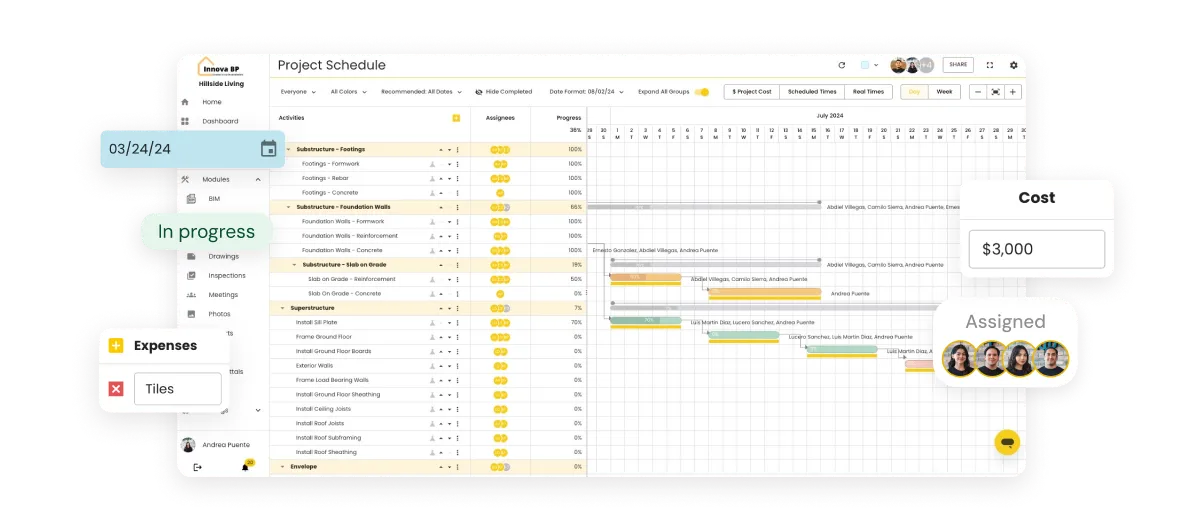
Project Visualization and Management

Clearly observe the activities within each phase of the project, from planning to execution.

screenshoot
Beta
What's new in the Module
down
Tag
Cost labels
Create labels to categorize your costs, assign them to your expenses and improve expense control for the entire project.
Tag
Change History with Filter
Use filters for your history, designed to make searching and tracking changes in your activities easier.
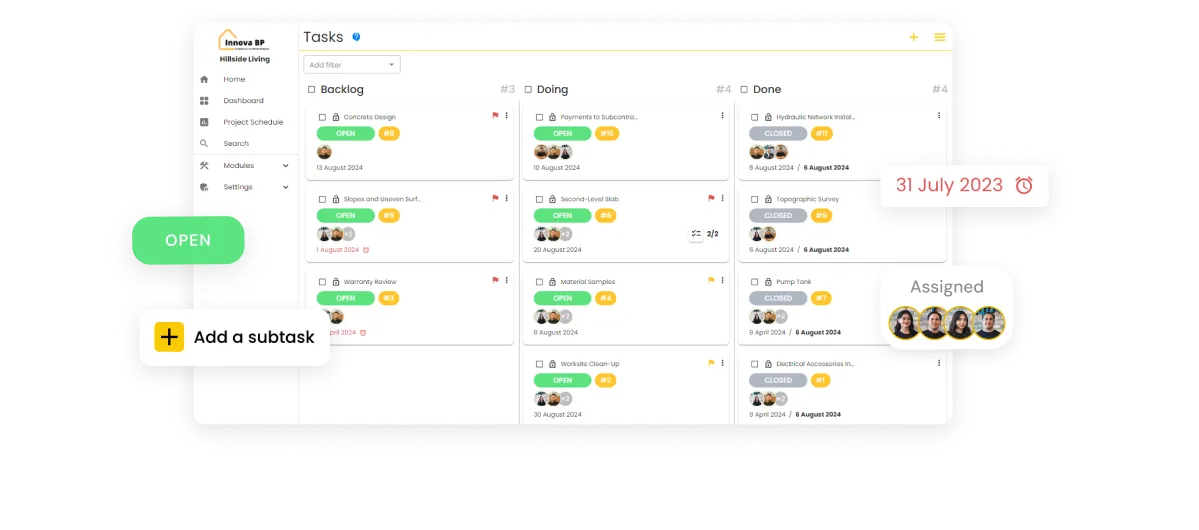
Manage the progress of your team's tasks, ensuring their compliance

It groups activities by responsible person, date of compliance and status, allowing for clear and accurate monitoring.
screenshoot
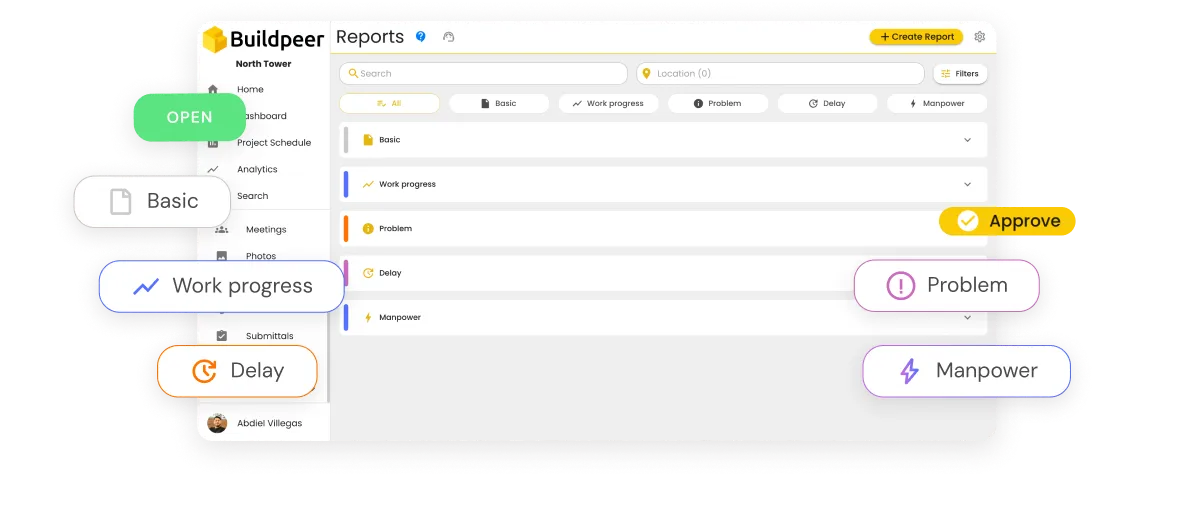
Take detailed control of your project with comprehensive and customized reports

Access 5 types of reports that speed up your processes by 78%:

1. Basic Report: Key data on tasks and projects.

2. Work Progress: Detailed report on progress in the execution of works.

3. Problem: Identifying and monitoring incidents or obstacles in the project.

4. Delay: Report on overdue tasks or activities.

5. Workforce: Analysis of the human resources allocated.

screenshoot
Beta
What's new in the Module
down
Tag
Workforce Templates
New workforce template functionality to streamline the report creation process.
Tag
Workforce Analytics
Select time intervals and generate reports and graphs by analyzing your reports.
Monitor inspections to ensure the quality of each stage

It easily verifies quality levels, ensuring that the expected standards are met.
screenshoot
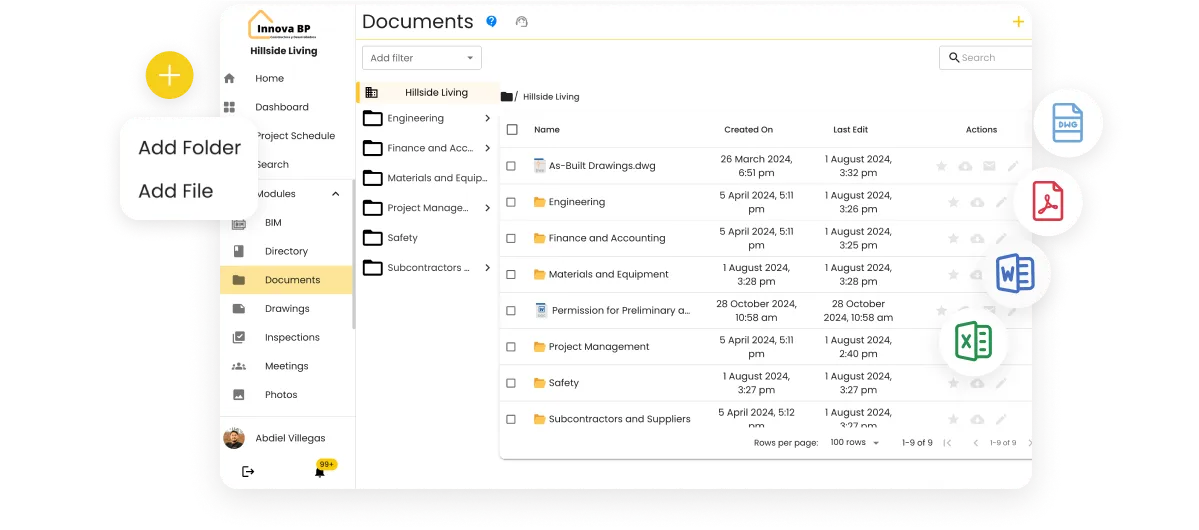
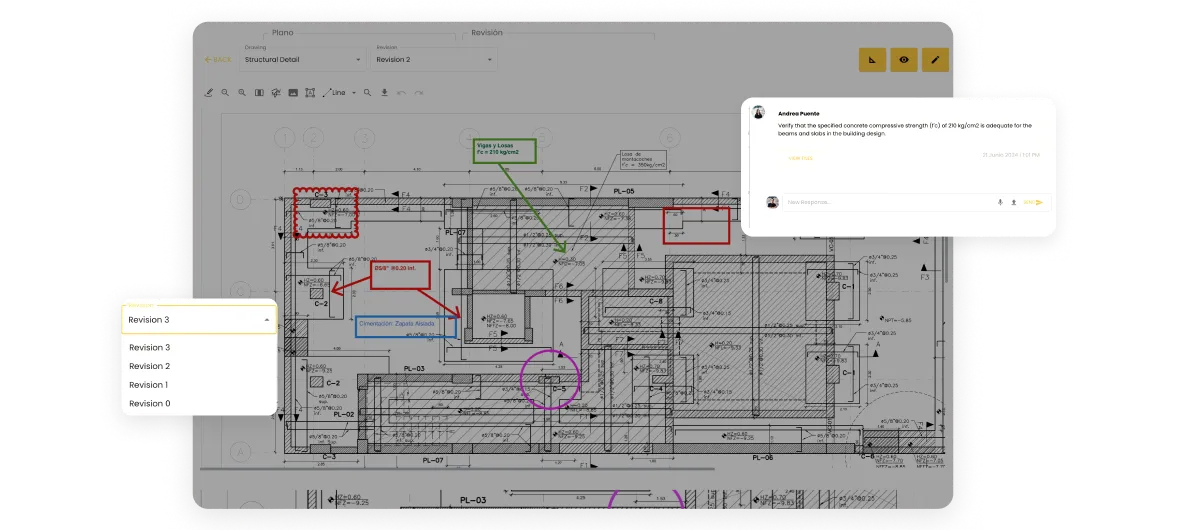
Store and share all your project documentation in one place

Organize and centralize all documentation in a simple way. Access from any device, keeping everything safe and available.
screenshoot
Easily view and manage your drawings

View, edit and share plans, with real-time interaction and comments, optimizing coordination between teams and ensuring accurate execution of plans.
screenshoot
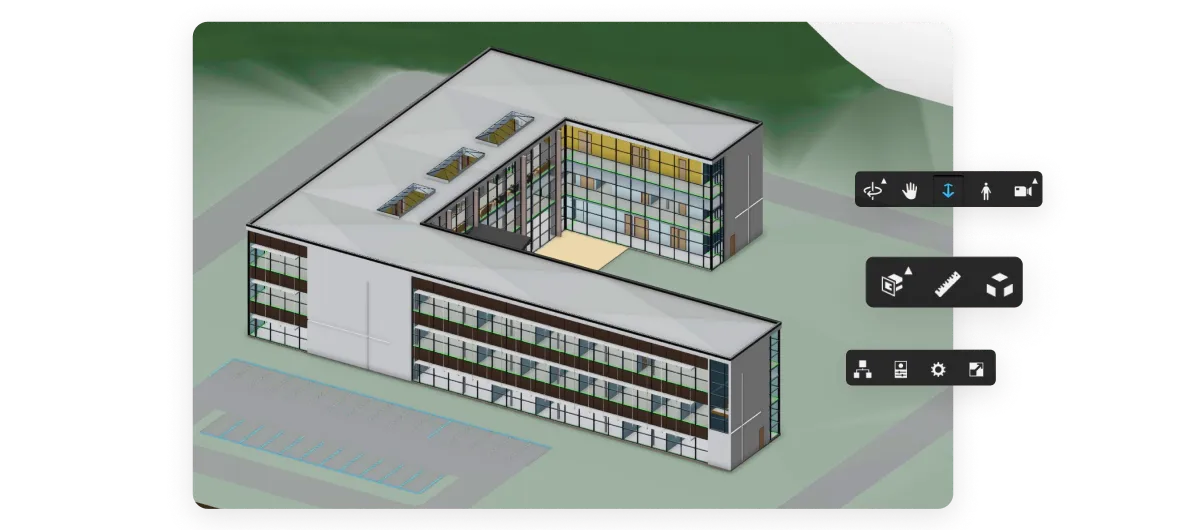
3D Visualization of Plans

Store and view 3D files, including .rvt and .skp formats, to ensure design accuracy at every stage.

screenshoot
Capture and store all the photos of your project in an organized and accessible way

Store photos in personalized folders and generate instant photo reports, making it easy to track and document.
screenshoot
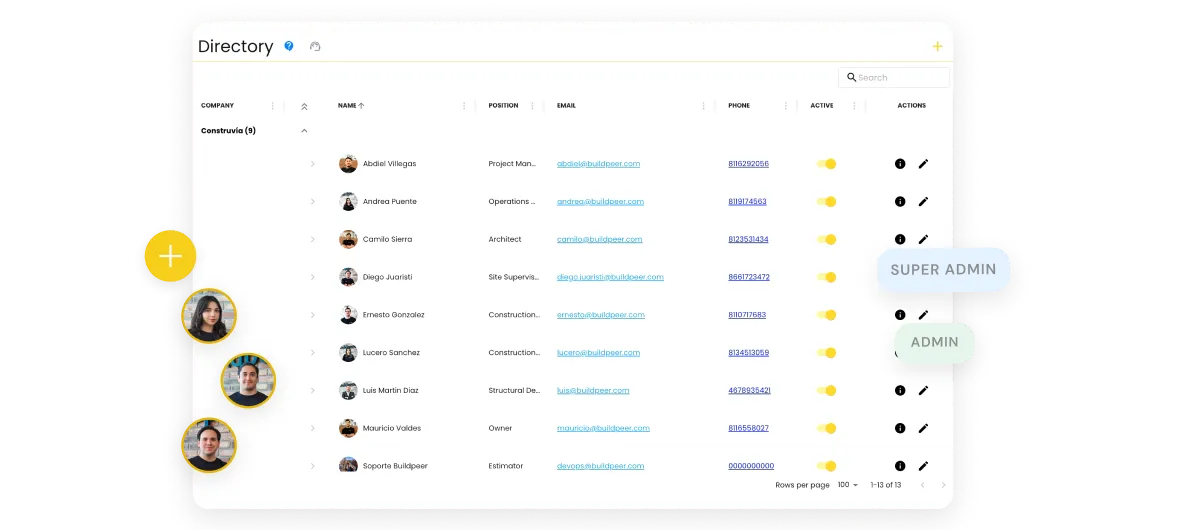
Manage all the contacts of your team and collaborators in one place

Create a centralized directory for quick access to project contacts, improving communication and avoiding the loss of key information.
screenshoot
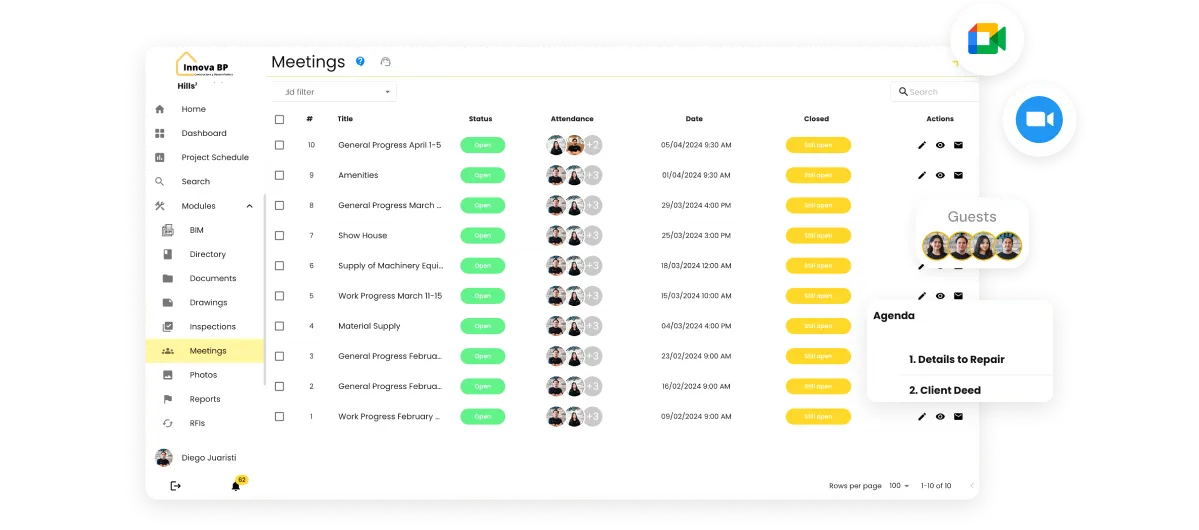
Plan, organize and document your meetings effortlessly

Create and manage meetings with your team in a simple way. Record agendas, decision-making and actions to follow, ensuring that all meetings are productive and well documented.
screenshoot
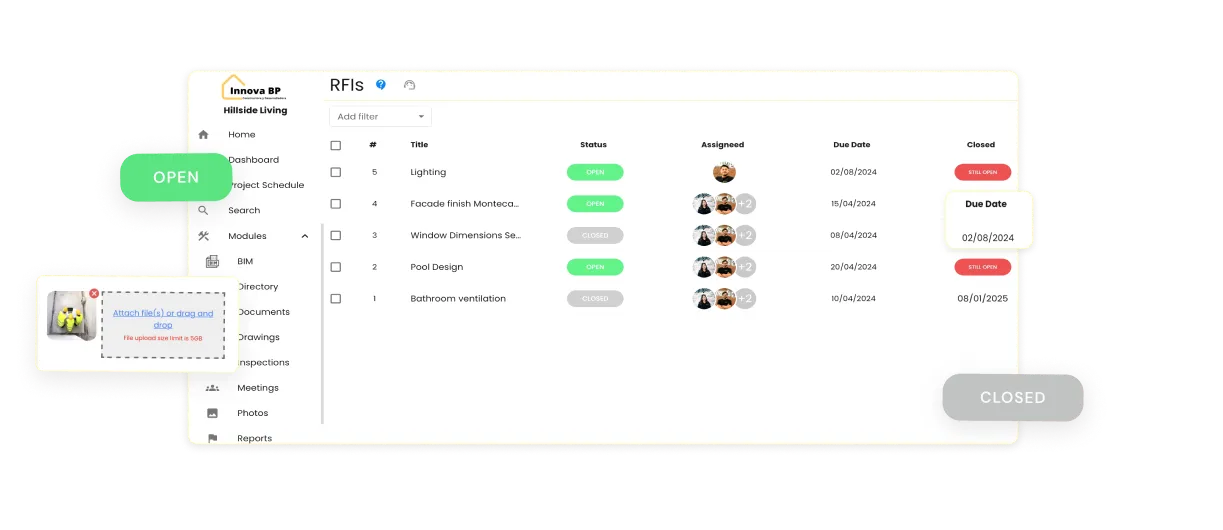
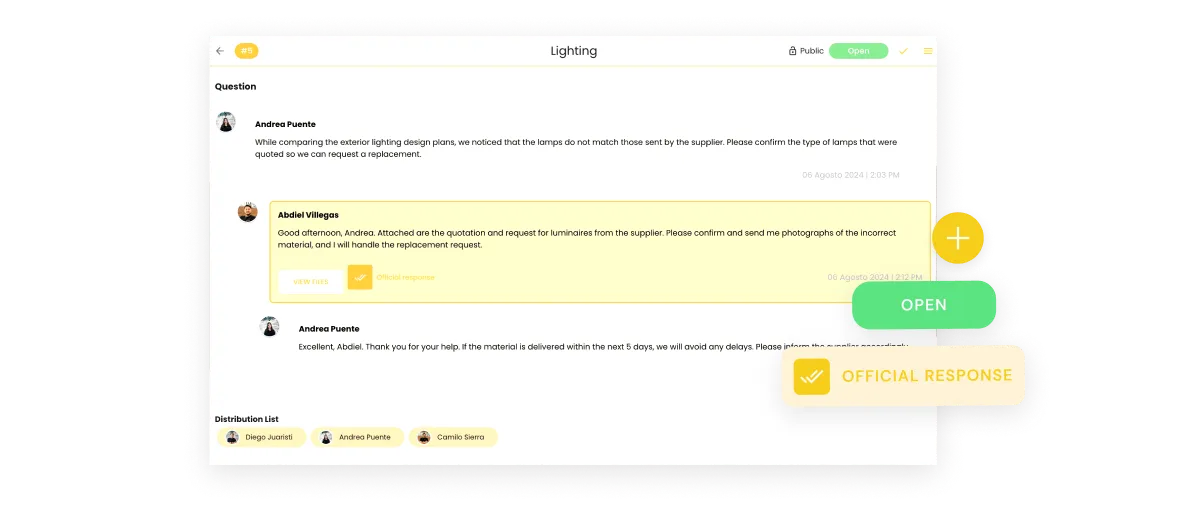
Manage and resolve requests for information quickly and accurately

Create, assign and track RFIs to ensure that all questions and clarifications are resolved efficiently. Keep a clear record of all requests to avoid delays and misunderstandings.
screenshoot
Send, receive and approve documents with ease

Automates the submission and approval of submittals, ensuring quick reviews and avoiding the loss of key documents

screenshoot
Beta
What's new in the Module
down
Tag
Optimized interface and flow
We improved the creation, submission, review and approval of submittals, optimizing collaboration and communication between teams for more efficient and organized management.
Customize and adjust your account to the needs of your team and project

Manage your account settings, adjust user permissions and customize the user experience according to the characteristics of your team and your project

screenshoot
Stay on top of all important updates with customizable notifications

Get instant alerts about relevant changes to your project and customize notifications to receive only the information you need.

screenshoot
Work and access your information, without an internet connection

You can now use the app without an internet connection. The Offline functionality allows you to access and work with the most recent information synchronized on your mobile device, ensuring continuity in your workflow, even when offline.

screenshoot
Resuelve dudas, encuentra información y mantén el control sin salir de tu flujo de trabajo

Conecta con Chip, tu asistente virtual con inteligencia artificial que te ayuda a responder preguntas sobre tus proyectos, buscar archivos, recopilar datos clave y mucho más.

screenshoot

Start boosting the efficiency of your construction projects.

Durante nuestra demo personalizada de Buildpeer podrás:

Schedule a personalized demonstration and learn how Buildpeer centralizes plans, reports, communication and evidence to give you real visibility of your work
Buildpeer es la plataforma de construcción creada para la operación real en LATAM. Fácil de usar y fácil de adoptar.
Visualizar como Buildpeer actúa como una fuente de información única para todo tu equipo.
Mostramos flujos específicos en base a tu caso de uso.
Terminamos con una ruta de implementación sugerida según tu operación, con tiempos y beneficios estimados.
0%
What are you primarily looking to manage?
What size is your company? (employees)
When would you like to purchase construction management software? *