CONSTRUCTION CONTROL PLATFORM
Keep your project's technical information organized and always available.
Access documents, blueprints, photographs, and 3D models with the certainty that you are always working with the most current information.
Access documents, blueprints, photographs, and 3D models with the certainty that you are always working with the most current information.
Coordinate activities, track progress, and gain visibility into the actual status of your project.
Schedule a demo


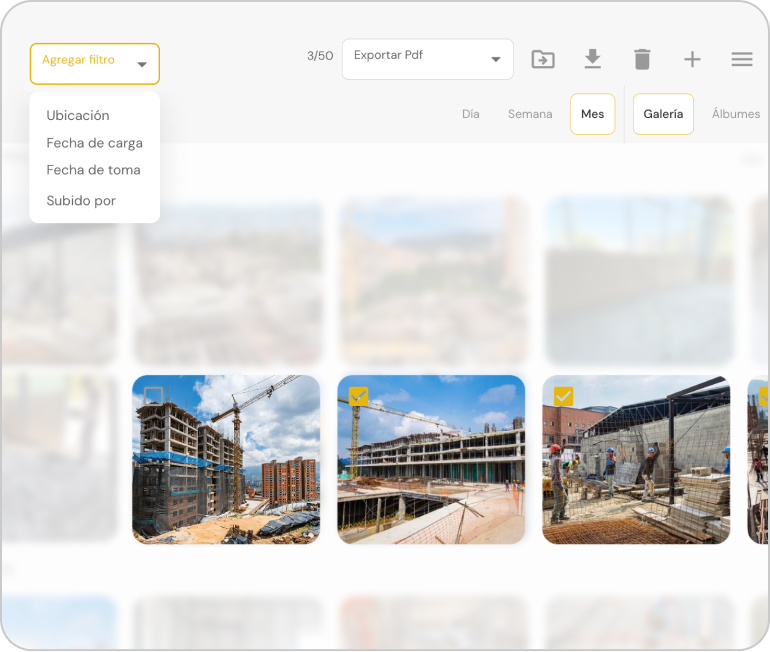
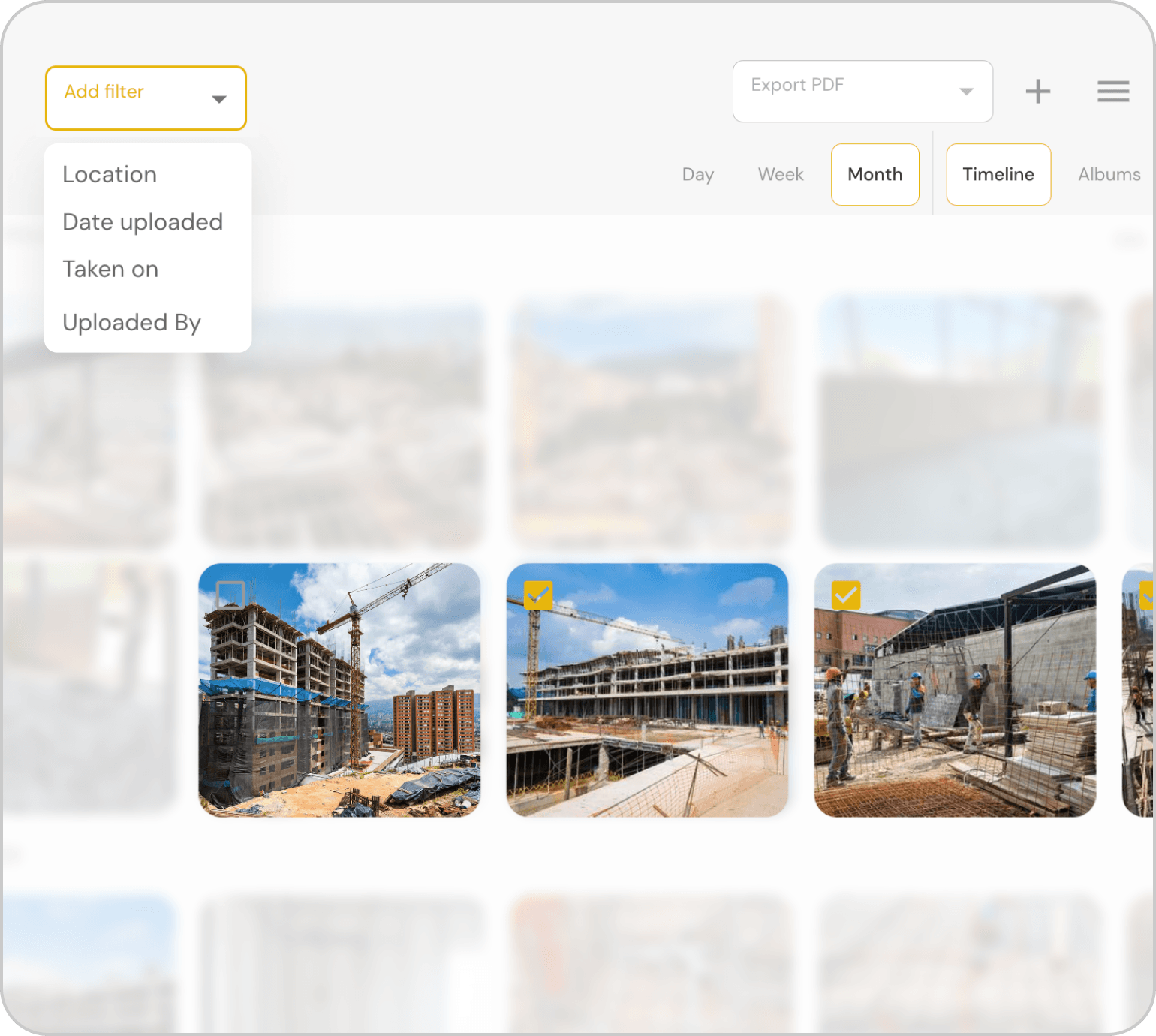
Organized evidence, not just an album without context.
Stop losing photos in galleries and WhatsApp groups. Every image is organized by work front, date, and location, ready to be used whenever you need it.
- Organized by work front, date, and location.
- Photo reports in seconds.
- Evidence for estimates, progress, and quality.
Schedule a demo



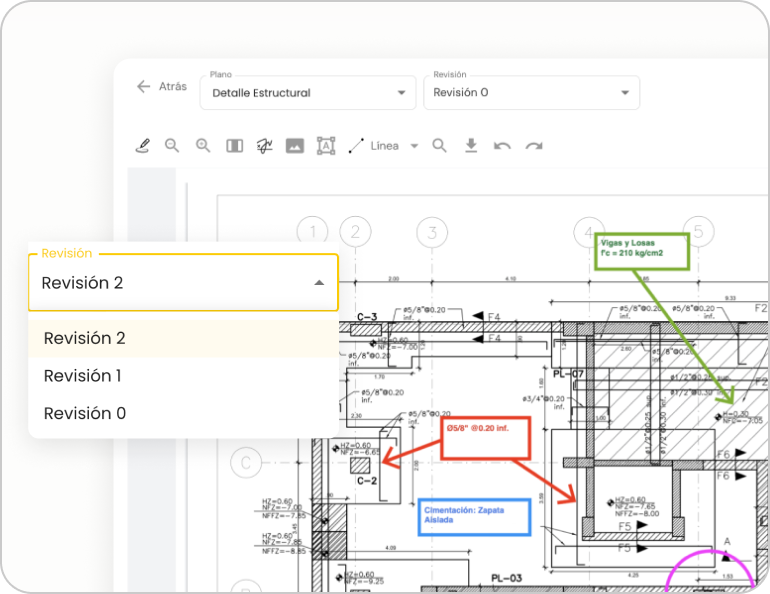
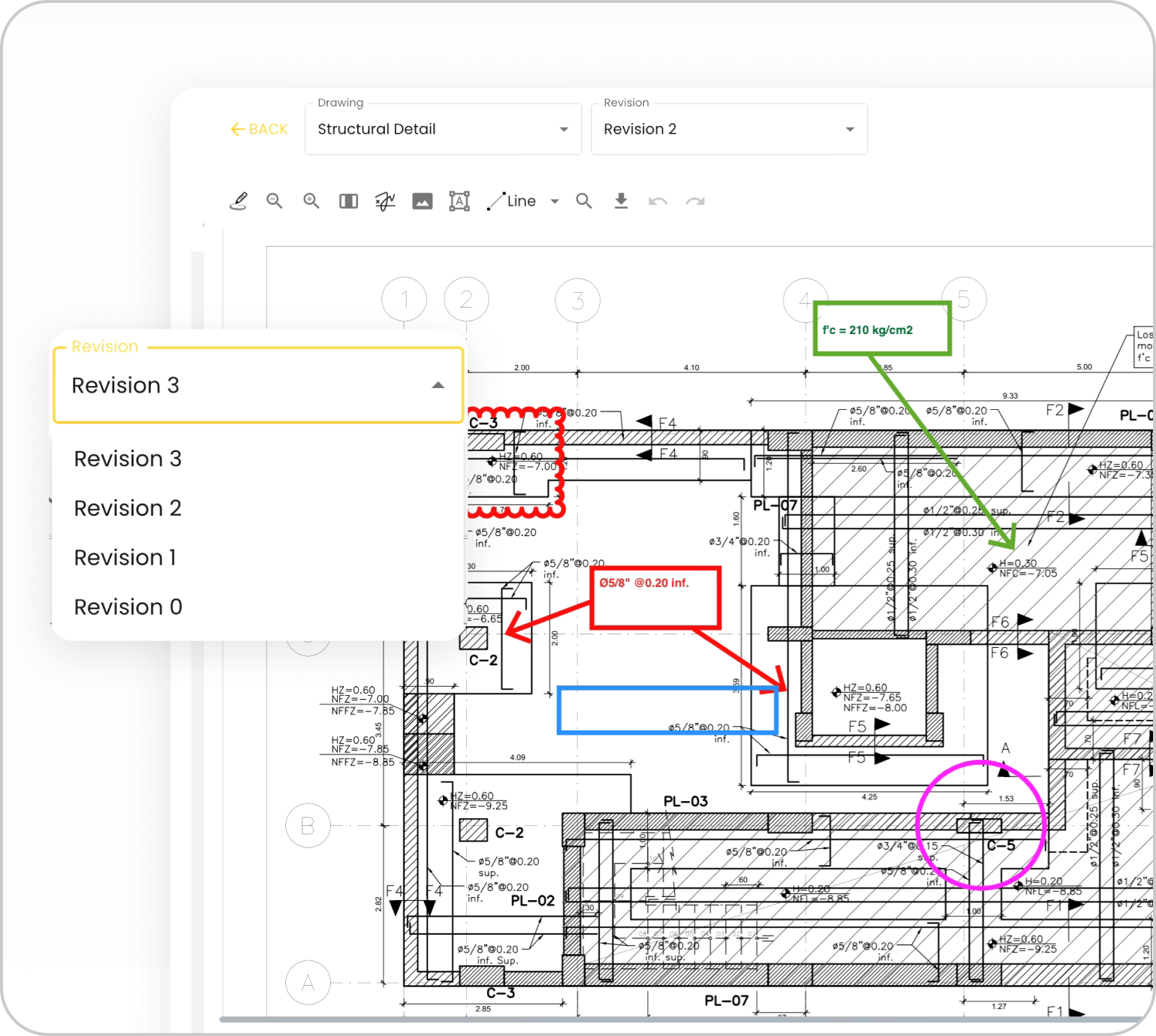
Always work on the current version of the plan.
Previous versions remain archived for reference while the team works exclusively on the current revision.
- Complete version history.
- Comments and annotations on the plan.
- Take measurements directly from the plan.
Schedule a demo


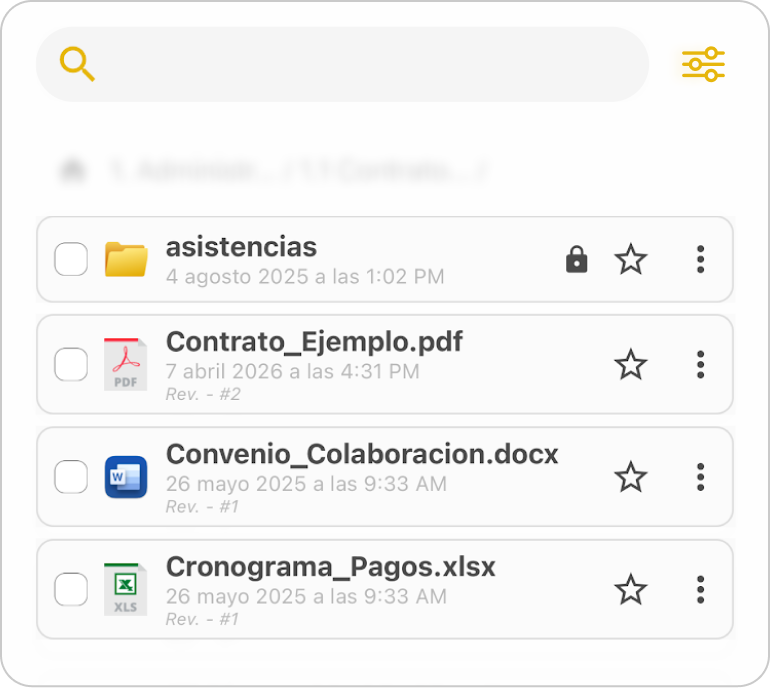
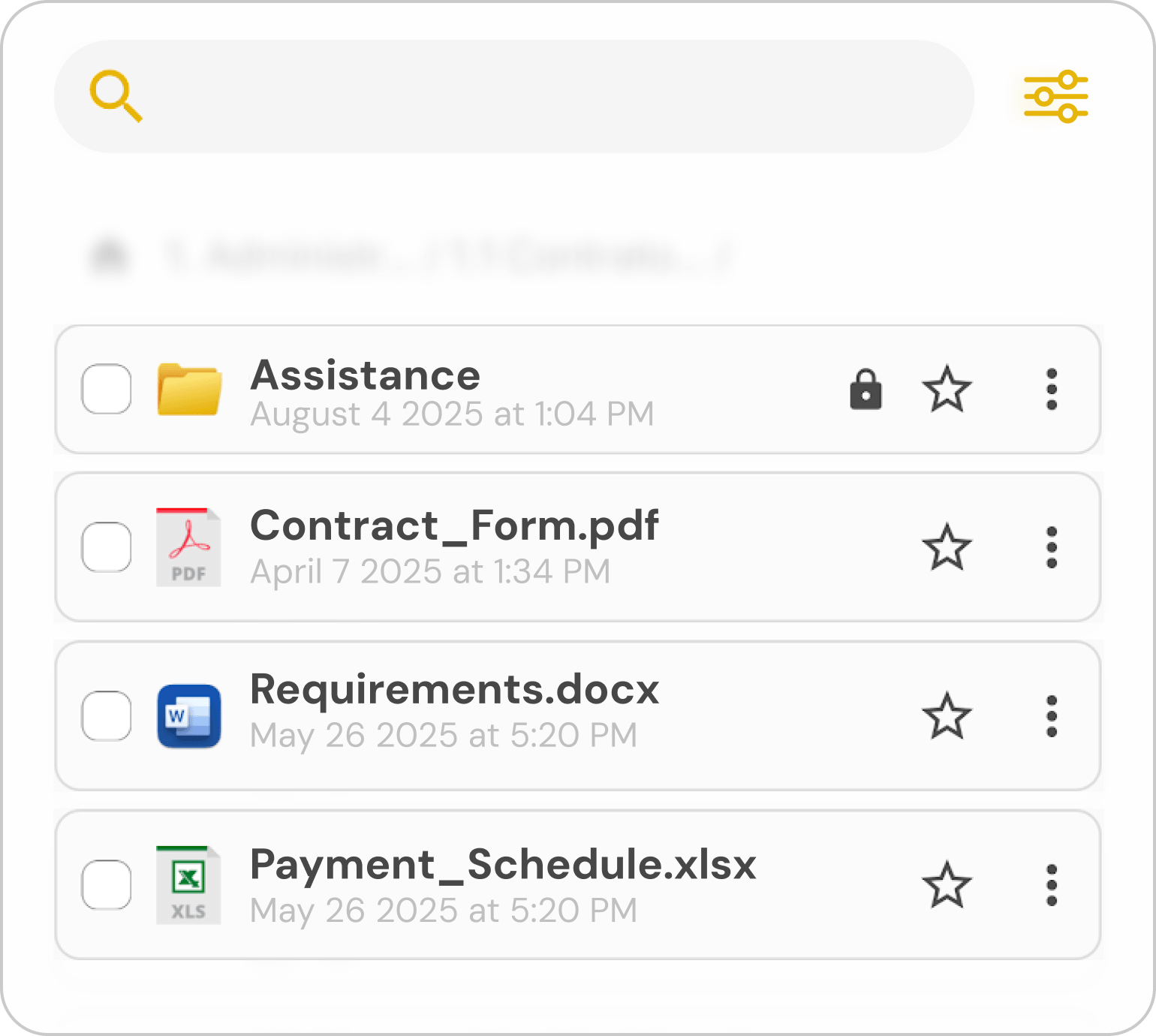
All project documentation, organized in one place.
Contracts, specifications, technical reports, and any project file remain organized and accessible to the entire authorized team.
- Organize all project documentation.
- Access from the office or the field.
- Custom permissions by folder.
Schedule a demo

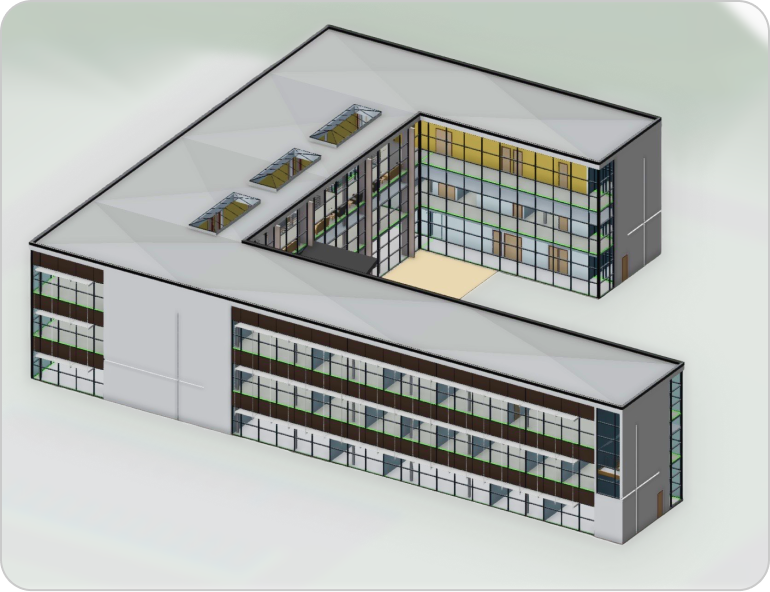
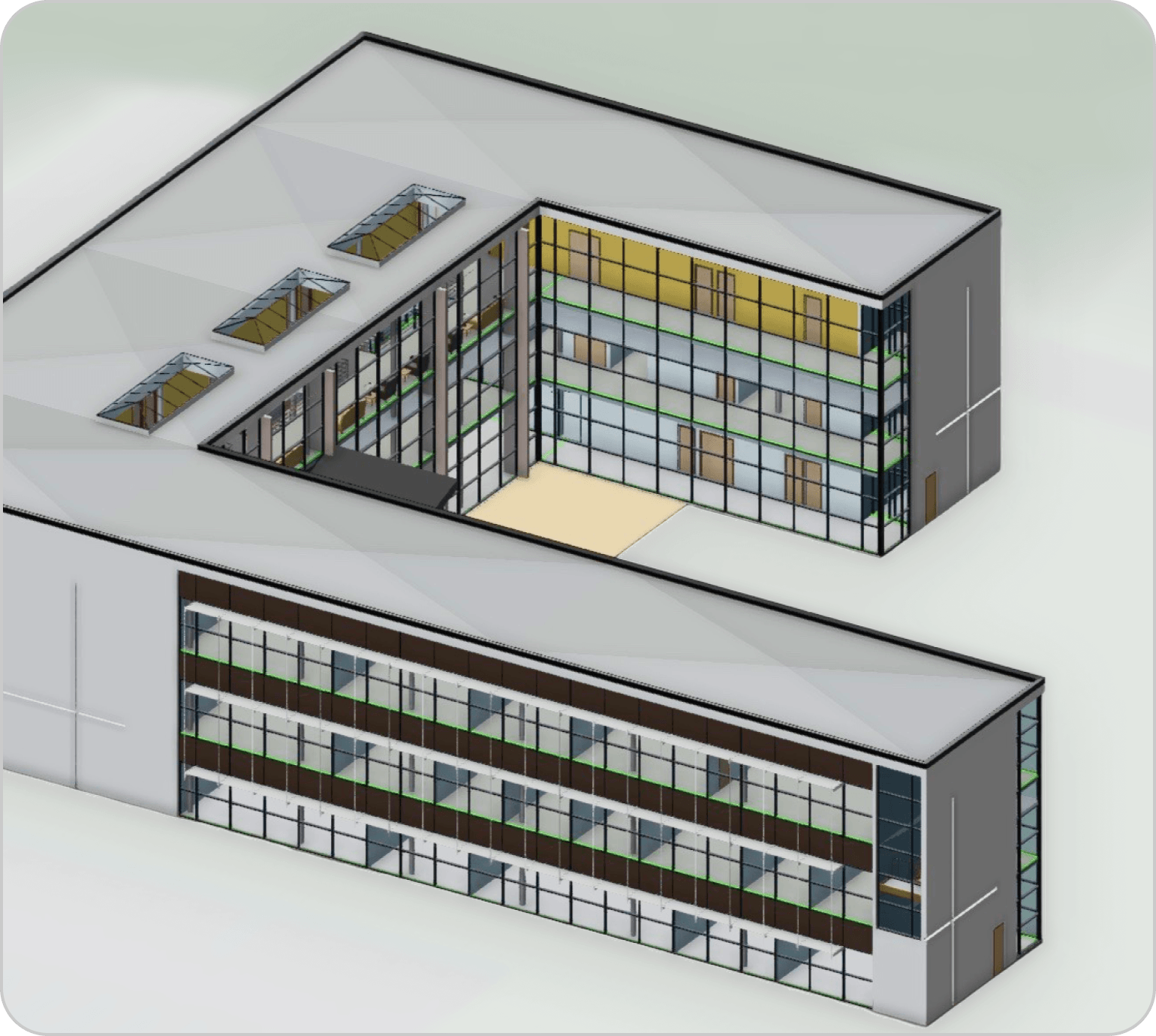
Understand the project before you execute it.
View 3D models directly within Buildpeer to validate designs and resolve questions before heading to the field.
- Compatible with .RVT and .SKP files.
- Validate details before you build.
- Navigate the model from any device.
Schedule a demo
Capabilities that power every module

Assignees
Assign responsibility for every task, issue, or deliverable.

Filters
Filter by project, status, assignee, or date in seconds.

Notifications
Get instant updates on changes, including new tasks, comments, or status updates.

Multiple views
Visualize your project as a list, board, calendar, or timeline.

Change history
See what was modified, when, and by whom.
View history
Check who has viewed each document, task, or report.
Categories
Organize tasks, documents, and issues by type to find everything faster.

Locations
Locate every task or issue within the project by front, level, or zone.

Permissions
Define who can view and edit each module.
Capabilities that power every module
Assignees
Assign responsibility for each task, issue, or deliverable.
Filters
Filter by project, status, assignee, or date in seconds.
Notifications
Get instant updates when something changes: new tasks, comments, or status updates.
Multiple views
Visualize your project as a list, board, calendar, or timeline.

Change history
See what was modified, when, and by whom.
View history
Check who has viewed each document, task, or report.

Categories
Organize tasks, documents, and issues by type to find everything faster.
Locations
Locate every task or issue within the project by front, level, or zone.
Permissions
Define who can view and edit each module.














.svg)
.png)


