



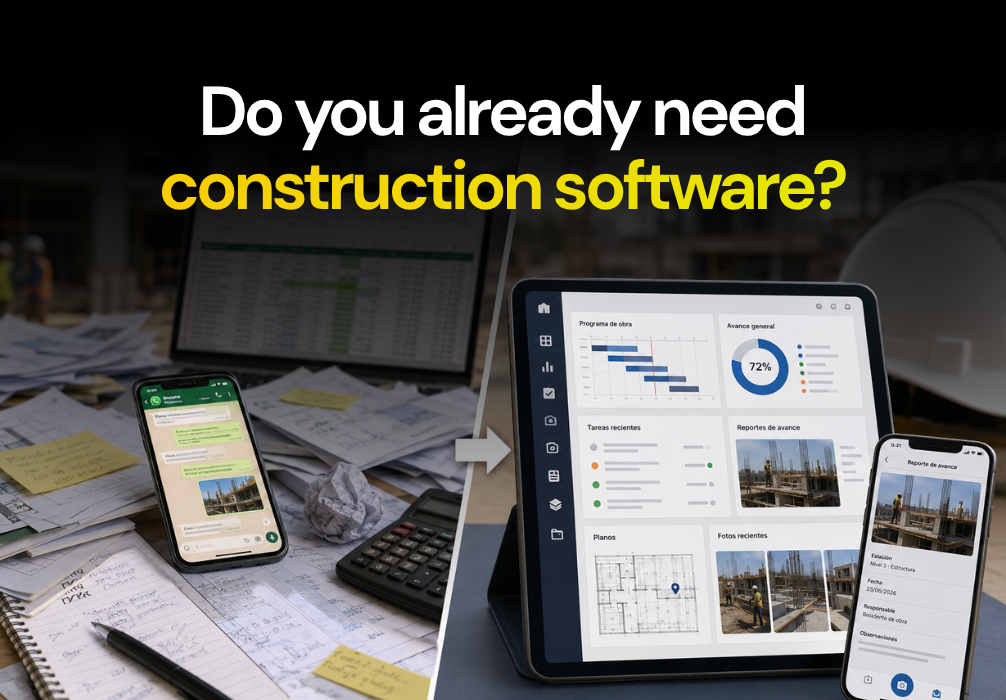

Construction management software is a platform where a project team centralizes progress, tasks, photographic evidence, and documents, instead of leaving them scattered across WhatsApp, Excel, and the site manager's memory. It solves three things: visibility of actual progress, traceability of decisions, and document backup. Choosing the right one depends on how many projects you manage and who needs to see what.
Signs your project needs one
This isn't a decision to make just because it's trendy. There are concrete signs that WhatsApp and Excel are no longer enough: management doesn't find out about a delay until the weekly meeting, not the day it happened. Two people have different versions of which blueprint is current. A change was authorized "verbally," and no one can prove it when there's a dispute with the client or supplier. You went from managing two projects to five, and the site manager for each one reports differently, in a different format, and at a different time.
None of these signs are a people problem; it's a problem of information being scattered. This platform doesn't fix people; it fixes where information lives.
What is construction management software?
It is the digital layer that replaces spreadsheets and WhatsApp groups as the source of truth for a project. Instead of progress living in the site manager's head, it is recorded in one place: what was done, who authorized it, when it changed, and with what evidence.
It is not an ERP or a financial tool. Its function is operational: it connects the construction schedule, field tasks, progress reports, geolocated photographs, and version-controlled blueprints in a single system, accessible from the site manager's phone and the management's desktop.
Problems it solves in the field
Knowing what progress was made today without waiting for the weekly meeting
Progress reports replace loose photos, audio clips, and messages sent in various groups with a record that includes the date, location, person responsible, and evidence.
This allows management to check what happened on-site in real time, without waiting for the site manager to prepare a manual summary at the end of the day or week.
Detecting a delay before it affects other activities
The construction schedule stops being a timeline that is only reviewed in meetings and becomes an active reference for the team.
When an activity is delayed, the impact can be identified in time, rather than after the delay has already affected other crews, deliveries, or project commitments.
Preventing a crew from working with the wrong blueprint
Version-controlled blueprints help the team consult the current document and identify when it was last updated.
This reduces the risk of executing an activity with an outdated version, one of the errors that can generate the most rework when discovered later.
Know what was asked, who responded, and what was authorized
RFIs and inspections allow you to document technical questions, responses, observations, and pending items with a date and an assigned person.
When there is a difference in interpretation or a dispute over quality, scope, or delays, the team can consult the history of what happened instead of relying on calls, messages, or memory.
Record information even when there is no signal
Offline mode addresses a common situation at construction sites in Mexico and Latin America: a connection is not always available in the field.
The site manager can capture information during a walkthrough and sync it once the connection is restored, without having to remember what needed to be recorded later.
How market options compare
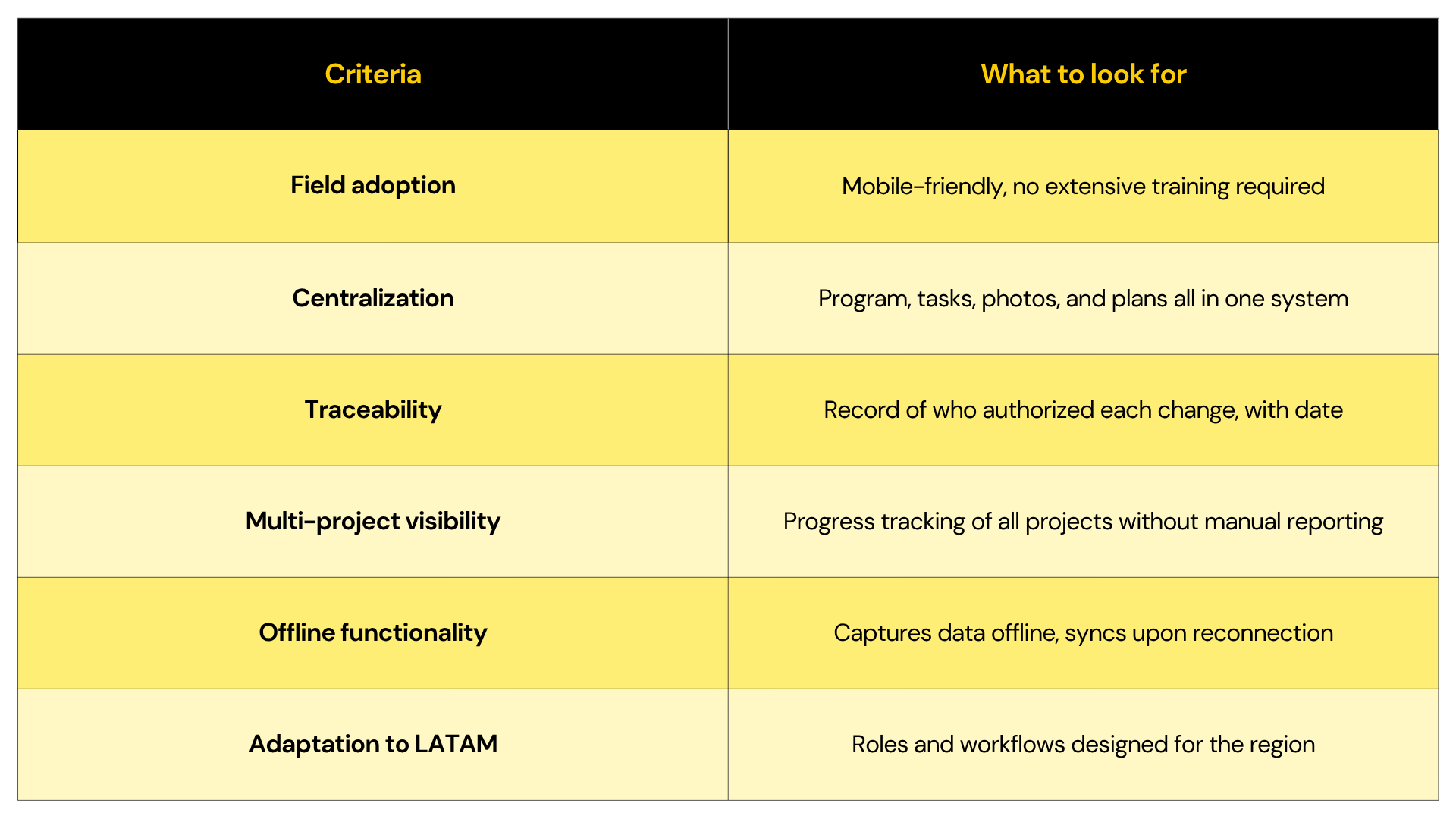
There is no single platform that is the best for every company. The choice depends on the type of projects you execute, the size of your team, and how you manage information in the field.
Platforms like Fieldwire, PlanRadar, Procore, Autodesk Build, and Buildpeer share the same goal: to improve construction control. However, each one addresses different needs. Some are primarily oriented toward field task management; others stand out for their inspections, documentation, or for being part of broader corporate ecosystems, as detailed in the comparison based on the problem you want to solve.
Rather than comparing the number of features, it is better to evaluate how well each platform solves the problems your operation faces every day.





.svg)
.png)


